Projectal Release Notes: Version 7.0 Changelog


Projectal 7.0 introduces two major capabilities: an integrated MCP server for connecting AI applications and agents to Projectal, and a new formula engine for creating custom calculations and computed fields. The release also includes new Booking and Activity management screens, improvements to Data Views and importing, new planning capabilities, and more than 250 fixes.
New
Agentic AI, LLMs & MCP Server
Projectal 7.0 includes a fully integrated MCP server that allows AI applications and assistants to access Projectal data and perform supported actions. You can connect AI applications such as Claude, ChatGPT, Gemini, Copilot, LM Studio and others to your Projectal MCP server.
Once connected, you can ask questions about your Projectal data, such as:
The AI application will analyze your Projectal data and return the relevant results.
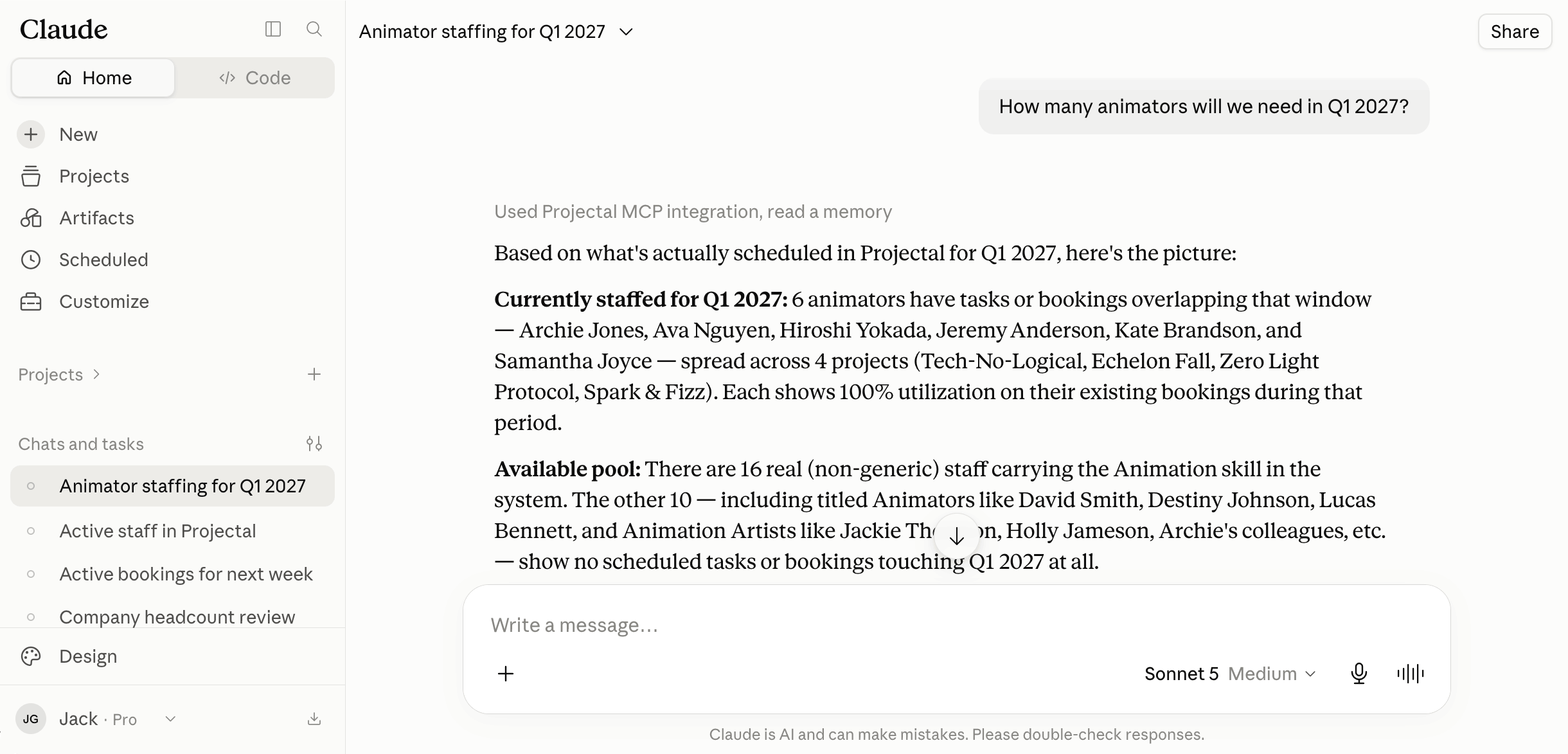
You can also create agentic workflows, allowing AI agents to perform actions in Projectal and automate repetitive tasks. For example, you can create an automated process that generates a weekly production report containing project status, department status and staff capacity. Or, combine Projectal MCP and your AI tools as part of an automated bidding workflow. An AI application can ingest a client bid document, identify the required work, and create a scenario plan in a Projectal sandbox containing the work breakdown, crew plan, schedule and costings.
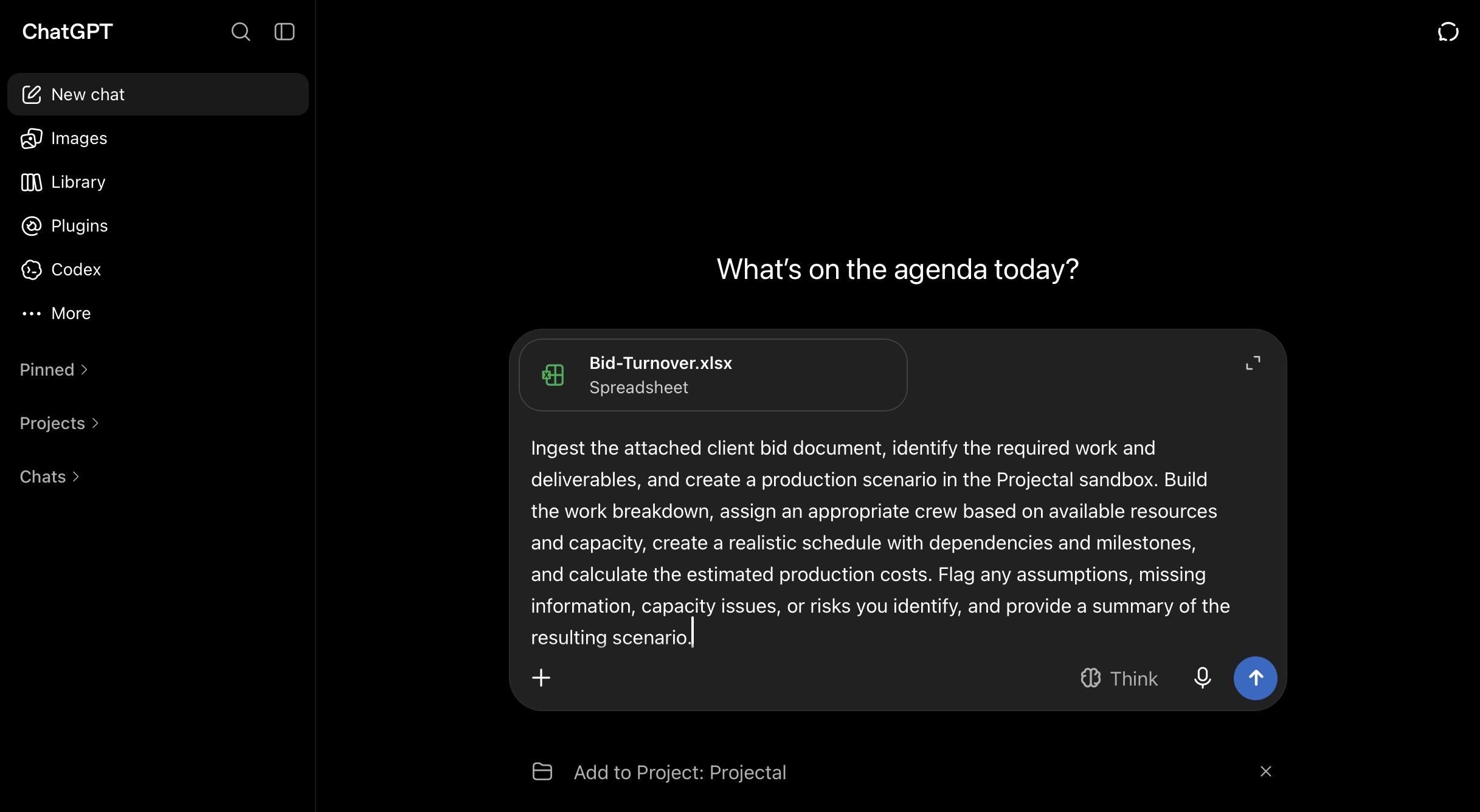
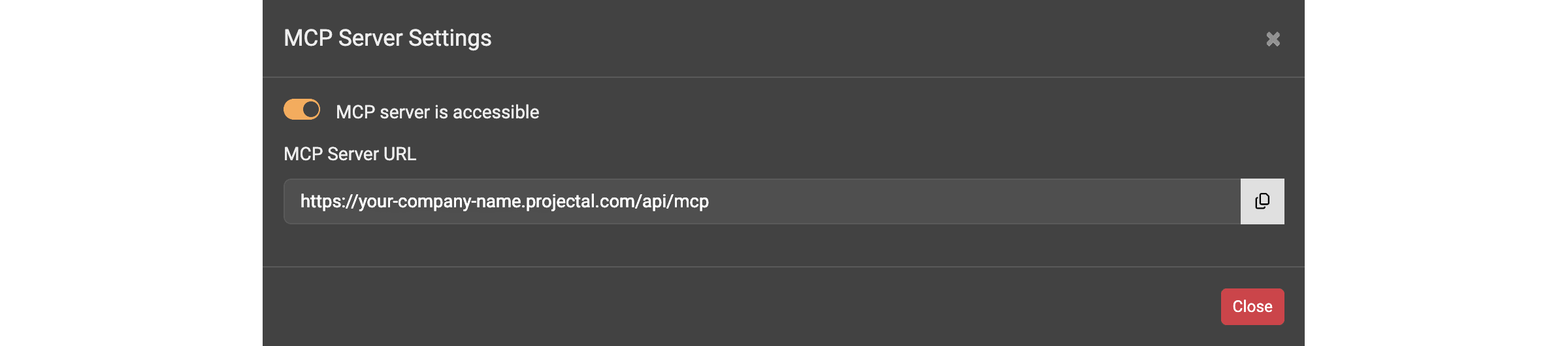
Access to the MCP server is controlled through Projectal. Importantly, there is no additional Projectal charge for using the MCP server with your AI application. To configure MCP, go to the Management screen and click the MCP Server button. On the MCP Server Settings screen, copy the MCP Server URL and add it as an MCP server in your AI application.
Formulas & Computed Fields
Projectal 7.0 introduces a new formula engine with more than 80 functions, operators and conditionals. The formula editor includes help, examples, syntax highlighting and formatting.
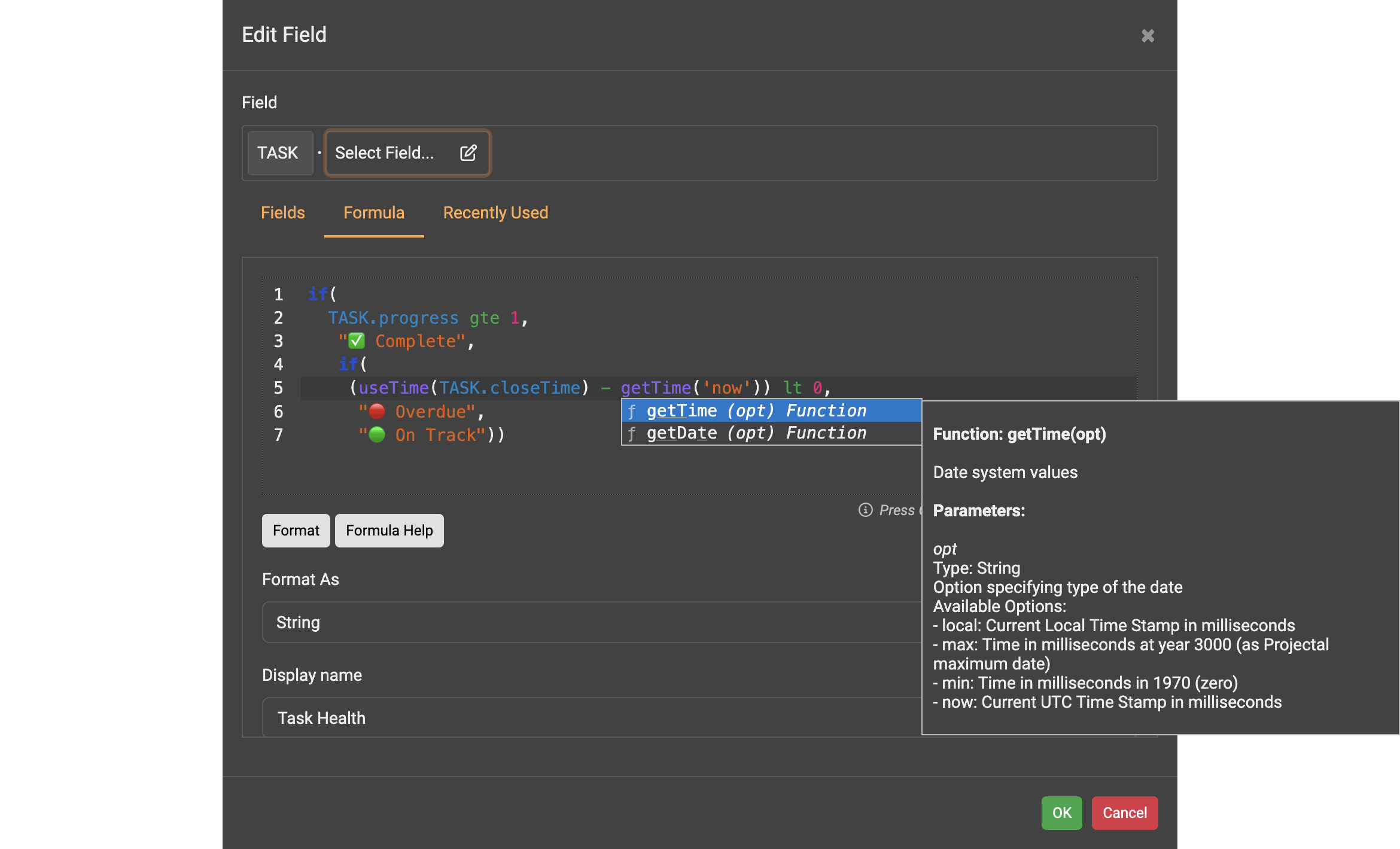
Formulas can be added to Data Views to create calculated columns and custom report data. For example, you can create a weekly department report containing calculated staff counts, completed tasks and outstanding tasks. You can also create a report of active projects that calculates the variance between budget and actual costs and displays a RAG status.
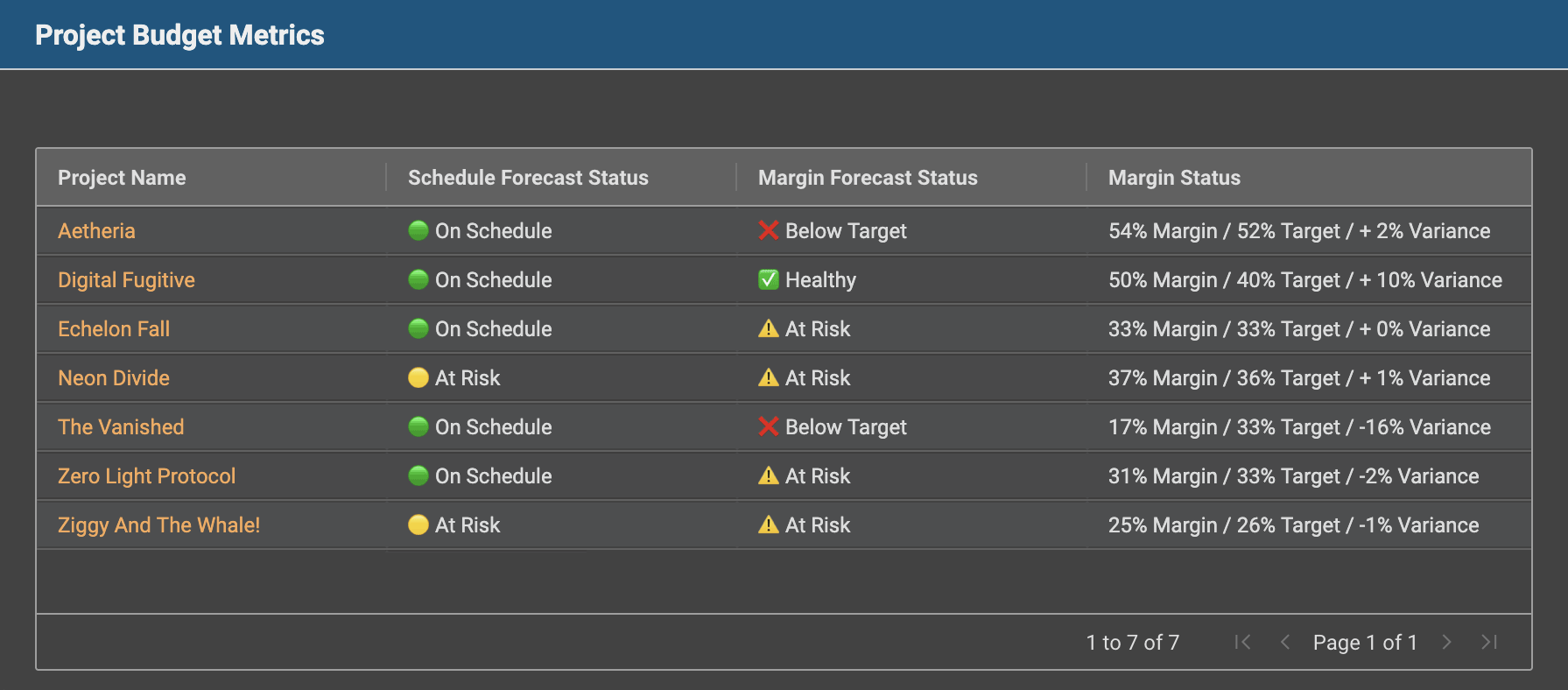
To add a formula to a Data View, click the + button in the Display section and select the Formula tab on the Edit Field screen.
Formulas can also be used in custom fields. A new Computed custom field type allows you to create fields whose values are calculated dynamically from Projectal data. For example, you can create a computed custom field on STAFF called overheadCost with the formula:
round2(STAFF.payAmount * 1.15)
This can be used to calculate a staff cost including a 15% overhead.
You can also create computed fields on other Projectal entities. For example, a PROJECT computed field can calculate a value based on project cost and rebate data. To add a computed custom field, click the Custom Fields button on the Management screen and choose Computed as the custom field type.
Bookings
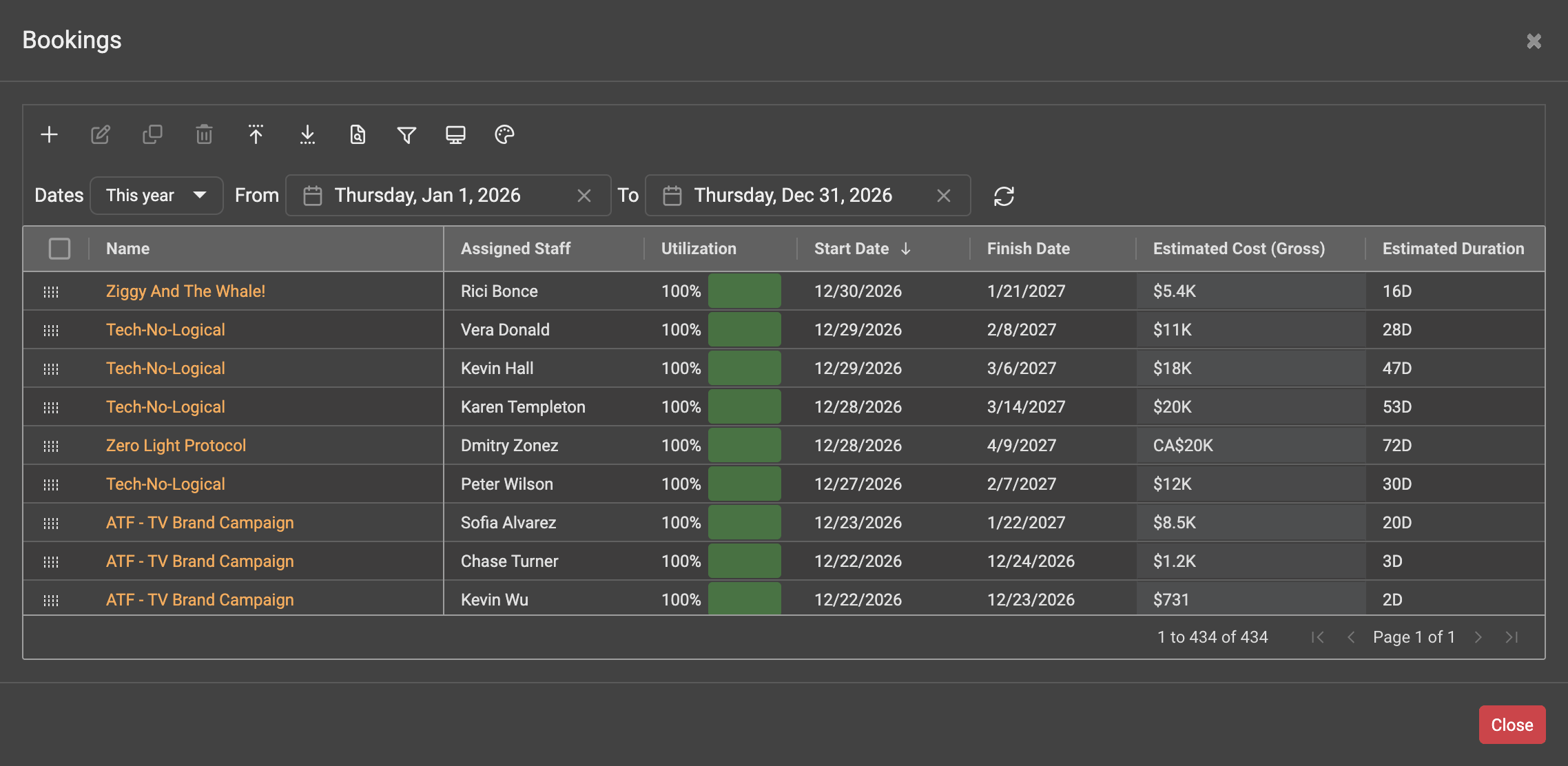
A new Bookings screen let you view and bulk edit bookings across Projectal. To view all bookings, navigate to the Management screen and click Bookings. Or, you can view bookings for a specific project from the project's Bookings screen.
Activities
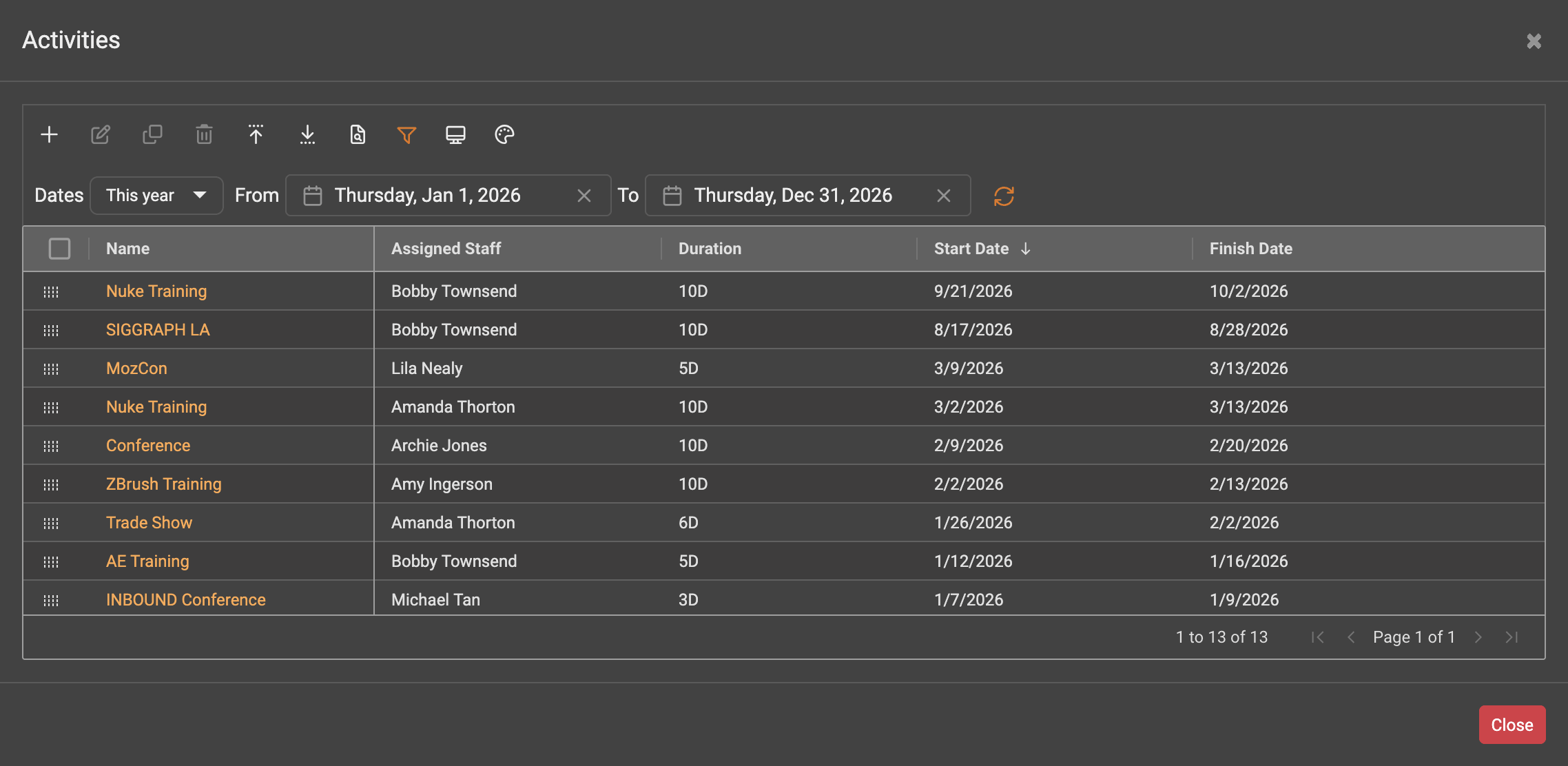
A new Activities screen lets you view your activities and bulk edit them. Go to the Management screen and click the Activities button.
Staff Planner & Resource Planner
Tooltips in Staff Planner and Resource Planner can now be customized. You can select the information displayed when hovering over bookings, tasks and activities, including custom fields.
Custom Fields
Custom fields can now be organized and positioned on screens. You can set the position, order and width of custom fields, allowing multiple custom fields to be displayed on the same row and making larger collections of custom fields easier to manage.
Data Views
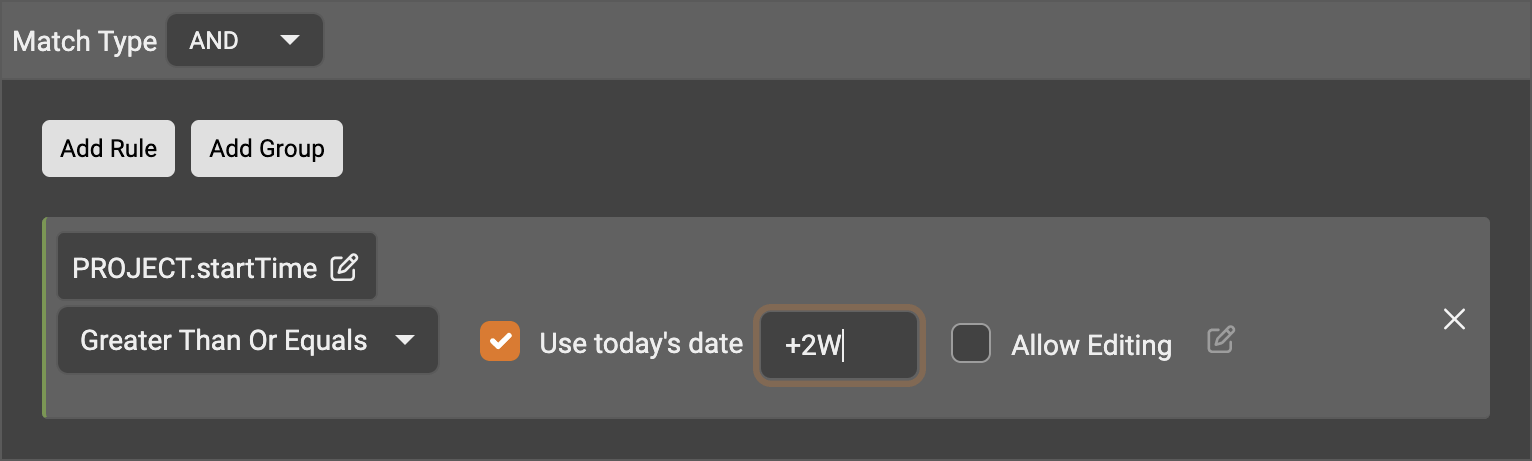
Date offsets can now be used in Data View filters, allowing you to create reports using rolling date ranges. For example, a filter can be configured to show projects that start within the next two weeks.
Estimated Work Effort
A new Estimated Work Effort field has been added to projects, tasks, bookings and activities. Estimated Work Effort is dynamically calculated based on the estimated duration, assigned staff and their utilization, and represents the estimated amount of work required to complete the item.
Dropdown Lists for Faster Data Entry
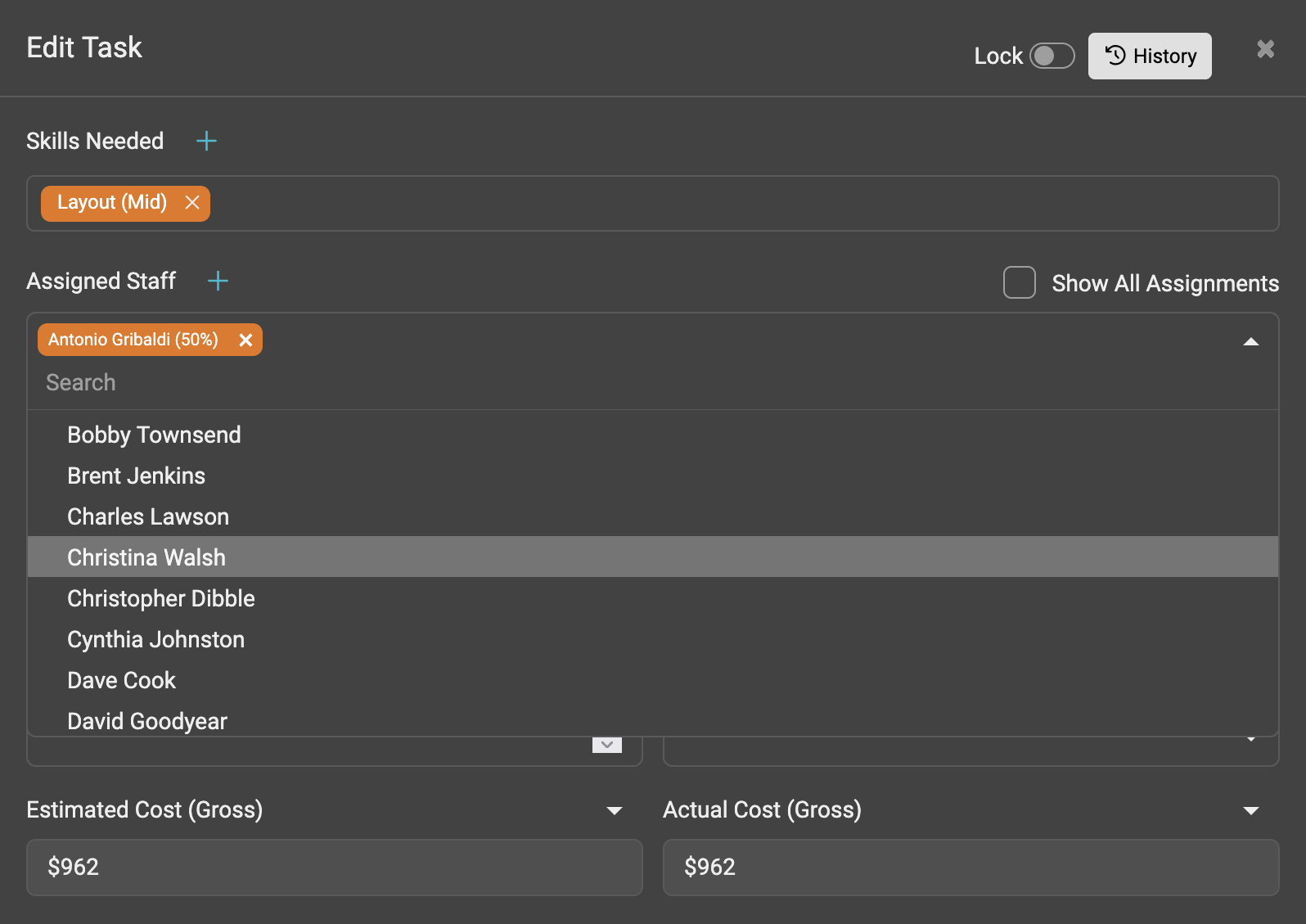
Dropdown lists can now be used throughout Projectal when selecting related records such as staff, locations and projects. Previously, these records could be selected using the + button. Dropdown lists provide an additional method for selecting records and reduce the number of steps required for data entry.
Improved
Performance
Projectal 7.0 includes performance improvements across the application, resulting in faster screen loading and improved responsiveness.
Importing Data from Spreadsheets
Projectal supports importing data from Excel and Google Sheets for Projectal entities including projects, tasks, staff, departments, locations, bids, schedules and more. Projectal 7.0 improves spreadsheet importing by allowing more data points to be imported and allowing existing Projectal records to be updated during an import.
Data Views
Filter rules in Data Views can now be individually enabled or disabled. This allows you to quickly see the results with specific filter rules applied or removed without having to delete and recreate the rules.
Sidebar
The left-hand sidebar can now be resized to your preferred width, making it easier to view your Data Views. Data Views can also be organized into folders, with improved navigation that makes it easier to find and access them.
Pin Columns
Columns can now be pinned to the left-hand side. For example, go to Management > Staff and drag the First Name column header so it sits alongside the Last Name column, on the left side of the solid vertical line. The First Name column is now pinned and will remain visible as you scroll horizontally. Columns can be pinned on any screen that displays tabular data.
Splitting Tasks, Bookings and Activities
The auto-splitting algorithm on the Split screen has been enhanced to distribute tasks, bookings and activities across intervals in a more intuitive manner.
Project Dashboards
The Project Timeline widget can now be added to project dashboards.
Kanban Boards
Kanban cards can now be sorted using task data points including name, start date, finish date and more.
Python Library
For developers, the Projectal Python library has been updated to support the new features and data points introduced in Projectal 7.0. The Python library lets you create applications to work alongside Projectal and seamlessly sync data to and from Projectal.
Connectors
Projectal connectors have been updated to support the new features and data points introduced in Projectal 7.0. Projectal connectors include support for tools such as Flow/ShotGrid, Workday, BambooHR, ftrack, HiBob, Google Calendar, Monday, PeopleHR, QuickBooks, SharePoint, Employment Hero, Kitsu and more.
Online Documentation Updated
The Projectal online documentation and helpdesk have been updated with information, examples and guidance for the new features and improvements in Projectal 7.0.
Fixed
Over 250 issues reported by customers and from our testing have been fixed.